
Every guide to timestamping in transcription explains where to put a timestamp. None of the ones we read says how accurate automatic timestamps are. So we measured it: 69 minutes of real meeting audio from the AMI corpus, 1373 human-annotated utterance starts, compared against what our transcription engines returned. Word-level timestamps landed a median 130 ms from the human-marked onset; segment-level ones from the same engine 250 ms, and from Whisper 460 ms. The table and the raw data are below.
Guide · Measured 2026-09-24 · 8 min read
Transcription with timestamps: formats, intervals, and how accurate they really are
A timestamped transcript ties every line of text to the moment it was said. Here is how the formats differ, how often to stamp, and — measured, not assumed — how close automatic timestamps land to the actual speech.
Free
3 files a day free · 5-minute preview each · timestamps included
What is timestamping in transcription?
Timestamping in transcription marks the time in the recording at which each piece of text was spoken. The time is written as hours, minutes and seconds — [00:07:39] in a document, 00:07:39,120 in a subtitle file — and it turns a transcript from a block of text into an index of the recording: find the line, and you know where to play from.
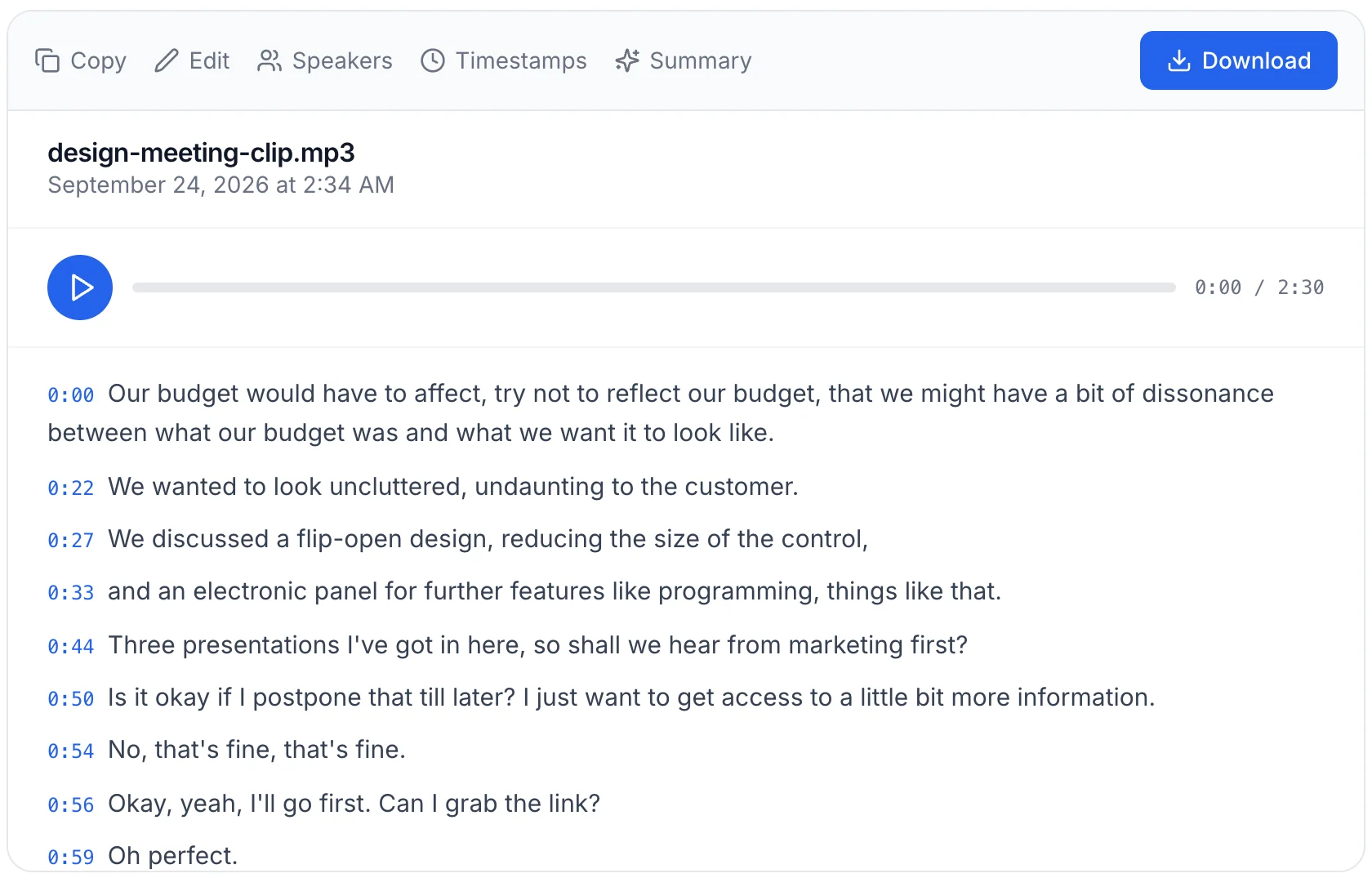
A transcript with timestamps is what makes the text usable afterwards. A researcher cites a quote by its time. An editor cuts video from the transcript. A lawyer points the court to the exact second of a statement. Without the stamp, every one of them has to scrub through the audio again.
How accurate are transcription timestamps?
This is the question the rest of the internet skips, so we measured it. We took 2 meetings from the AMI Meeting Corpus — 69 minutes of real, overlapping, far-field meeting audio recorded on a single room microphone — and ran them through our production transcription servers. AMI comes with human-annotated utterance start times. For each of the 1373 utterances that do not open with a filler, we compared the time our transcript gave the first word with the time the annotator marked.
| Timestamp type | Median error | Within 250 ms | Within 500 ms | 90th percentile |
|---|---|---|---|---|
| Word-levelParakeet-TDT-0.6b-v3 · 742 of 1373 onsets matched | 130 ms | 77.6% | 88.3% | 610 ms |
| Segment-levelParakeet-TDT-0.6b-v3 · 888 of 1373 onsets matched | 250 ms | 50.1% | 64.3% | 1430 ms |
| Segment-levelWhisper large-v3-turbo · 1084 of 1373 onsets matched | 460 ms | 36.3% | 51.9% | 1490 ms |
Download the data: CSV, every onset · JSON summary — every matched onset with its signed error in milliseconds, licensed CC BY 4.0.
Word-level timestamps are the precise ones. Parakeet-TDT-0.6b-v3 placed the first word of an utterance a median 130 ms from where the annotator put it, and 88.3% of onsets landed within half a second. Segment-level timestamps from the same engine — the kind a subtitle cue or a per-paragraph stamp carries — were 1.9 times looser, at a median 250 ms, and Whisper’s segments looser still at 460 ms.
The reason is structural, not a flaw in one engine: a segment boundary is placed where the model decides a phrase begins, which can include a breath, a false start or the tail of the previous speaker. A word timestamp is tied to the word itself. For subtitles, a few hundred milliseconds is invisible. For cutting video on a word or aligning a quote to the frame, it is the difference that matters.
Method and limits. AMI Meeting Corpus, meetings EN2002b and ES2004b, single distant microphone (SDM) mix, 69 minutes. Each file was sent unchanged to our production servers on 2026-09-24 with language set to English and diarization off. Reference: the corpus's human-annotated utterance start times; utterances opening with a filler (um, uh, mm) were excluded, leaving 1373. Only onsets were measured, not end times. A word-level onset counts only when our transcript contains the same first word within two seconds of the annotated start, so 742 of 1373 onsets qualified and the unmatched ones are not in the median. Segment boundaries do not always coincide with the annotator's utterances, so part of the segment-level error is segmentation rather than timing. Two meetings is a small sample: it fixes the order of magnitude, not the last digit.
Word-level vs segment-level timestamps
A segment-level timestamp gives the start and end of a phrase or sentence. It is what subtitles, paragraph stamps and most exported documents use. A word-level timestamp gives the start and end of every single word. It is what lets an editor click a word and land exactly on it, or search a recording for a term and jump to the syllable.
Not every engine produces word timings, and our measurement showed it plainly: our Whisper large-v3-turbo server returned segment times only — no per-word stamps at all — while Parakeet returned 4,358 word timestamps on a 30-minute meeting. If your workflow depends on word-level timing, check where it actually reaches you. In our editor, word timings are shown when the engine measured them; where it did not, each word’s time is interpolated from its length, which is close but not measured. Every export — SRT, VTT, TXT, DOCX, PDF and JSON — is segment-level: word times stay in the editor.
Timestamp formats in transcription
The same moment is written differently depending on where the transcript is going. These are the exact formats our exports produce:
| Export | Timestamp syntax | One stamp per | Use it for |
|---|---|---|---|
| SRT | 00:01:23,456 --> 00:01:25,789 | subtitle cue | video players, YouTube, editors |
| VTT | 00:01:23.456 --> 00:01:25.789 | subtitle cue | web players (HTML5 <track>) |
| TXT / Markdown | [1:23] Speaker 1: … | speaker turn | reading, quoting, coding in QDA tools |
| DOCX / PDF | 1:23 - 1:25 | segment | documents, legal and research records |
| JSON | "start": 83.456 (seconds) | segment | software, search, re-timing |
The one detail that trips people up: SRT separates milliseconds with a comma, VTT with a full stop. A player that expects one will reject a file written with the other. There is more on the SRT layout in the SRT timestamp format reference.
How often should a transcript be timestamped?
There are four common conventions, and the right one depends on what the transcript is for:
- At every speaker change — best for interviews, meetings and depositions, because the stamp marks where each person starts. This is what our TXT and document exports do.
- At a fixed interval — every 30 seconds or every minute, useful for long monologues and lectures where there are no speaker turns to anchor on.
- At every sentence or segment — dense, and what subtitle formats need, since each cue must have its own time.
- At the start and end only — enough to log a recording's duration, not enough to navigate it.
How to get a transcript with timestamps
- Upload an audio or video file above, or paste a link.
- The transcript comes back with a start and end time on every segment.
- Click any line and the player jumps to that moment — the fastest way to confirm a stamp before you rely on it.
- Export: SRT or VTT for video, TXT or DOCX with timestamps switched on for documents, JSON when software needs the times in seconds.
Inside the editor, timestamps behave a little differently from the exports — the guide to working with timestamps covers seeking, editing and the export toggle.
When timestamps matter most
- Research interviews — cite a quote by its time and let a reviewer check it against the audio. A worked interview transcript shows the layout.
- Video and podcasts — subtitles, chapter markers and cutting from the text all need timing.
- Legal and compliance — the time of a statement is part of the record.
- Meetings — jump to the decision instead of replaying the hour.
Can I get a transcript with timestamps for free?
The free plan covers 3 files a day with a 5-minute preview of each, and the preview already carries timestamps — so you can check where they land on your own recording before paying. Longer files need a paid plan; the plans are here.