
Verified review
ROI was immediate
Rolled this out to our team of 15. Everyone saves hours on meeting notes now. Should have done this sooner.

Jennifer M.
VP of Product · 10 months
AI transcription · 100+ languages
Upload files or record meetings. Get transcripts, notes, and tasks. Save hours every week.Upload audio or video, or record a meeting. Get a searchable transcript, concise summary, and clear action items in minutes— giving you hours back every week.


Trusted by professionals worldwide
Trusted by 50,000+ professionals worldwide
From solo creators to Fortune 500 teams, here's who ditched manual transcription and never looked back.
Turn meetings into searchable transcripts with AI summaries and action items. Auto-record Zoom, Meet, Teams.
Used by business teams
Turn 60-minute episodes into SEO-ready blog posts and social snippets with predictable subscription pricing.
Trusted by podcasters
Transcribe 40 hours of interviews in 3 hours instead of 3 weeks.
Used by research teams
Auto-generate captions, timestamps, and searchable video libraries.
Trusted by creators
Record user interviews. Get instant transcripts. Find insights 10x faster.
Used by product teams
AI-generated meeting minutes and decision tracking. Speaker detection for depositions and compliance.
Trusted by legal teams
Not seeing your industry? We transcribe everything from courtroom depositions to team standups.
Each review shows how long that person has been using TranscribeNext.
Rolled this out to our team of 15. Everyone saves hours on meeting notes now. Should have done this sooner.
Jennifer M.
VP of Product · 10 months
I coach executives, so confidentiality matters a lot. I used to pay someone per session to transcribe. Now I get transcripts in minutes for a fraction of that. Files are encrypted and deleted after processing which my clients appreciate. Quality is honestly just as good.

David T.
Executive Coach · 4 months
We do 50+ user interviews per month. Used to outsource transcription and it added up fast. Switching to TranscribeNext cut our costs significantly. But honestly the best part is having everything searchable. Product team can find specific quotes in seconds. My team of 8 researchers all use it daily.

Rachel K.
Head of User Research · 11 months
I was spending way too much on Rev for my weekly podcast. Switched to TranscribeNext and the flat rate is so much better for my budget. I turn every episode into a blog post now because there's no extra cost per minute. Turnaround is faster too.

Michelle C.
Podcast Host · 8 months
Tried a bunch of transcription tools for my true crime podcast. None of them handled 3+ speakers well until this one. The speaker labels are actually useful. I can tell who said what without spending an hour fixing everything. Not perfect when people talk over each other, but way better than what I was using before.

Marcus W.
Podcast Producer · 6 months
Had about 30 hours of interview recordings for my dissertation. Was dreading manual transcription on a student budget. TranscribeNext got through everything over a weekend while I worked on other stuff. Not instant, but way faster than doing it myself. My advisor was impressed I finished the transcription phase so quickly. Honestly a lifesaver for qualitative research.

Dr. Amanda L.
PhD Candidate · 5 months
We compared ourselves to Otter, Rev, and Descript. Here's what we found.
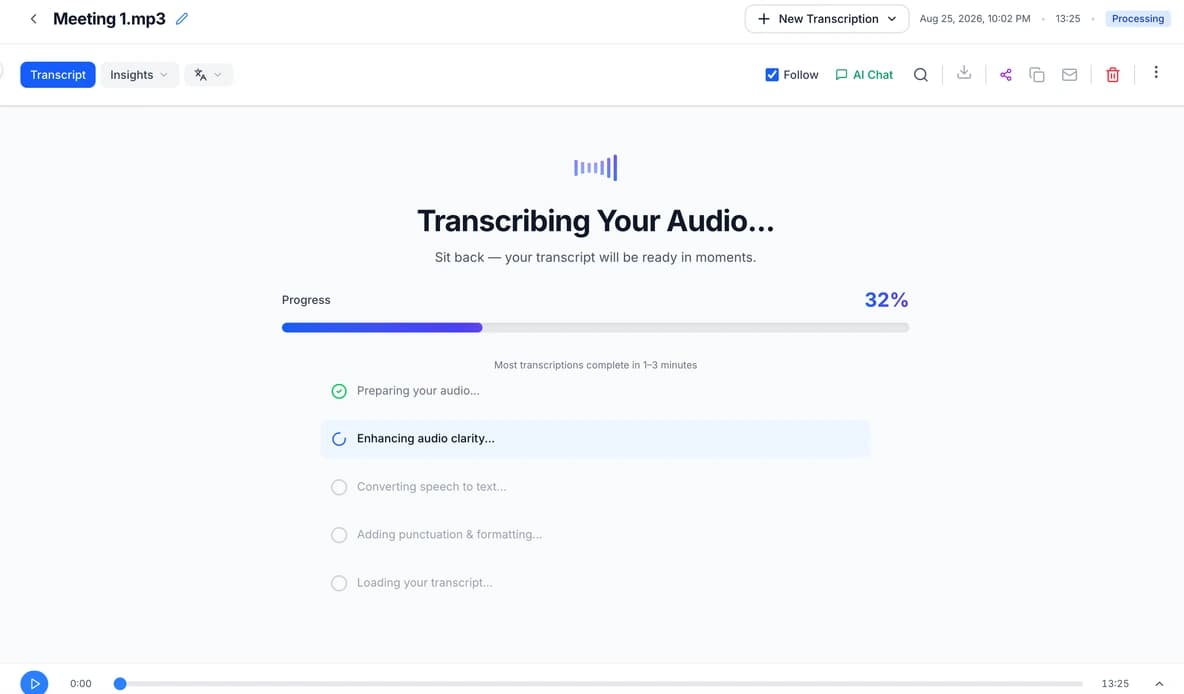
2-hour file? Done in 10 minutes. Competitors take 30-60 minutes. We process 12x faster than real-time.
Actual time depends on the file and current load.
We understand context. Medical terms, legal jargon, heavy accents - 99% accurate across 100+ languages.
Better than Rev • Half the cost
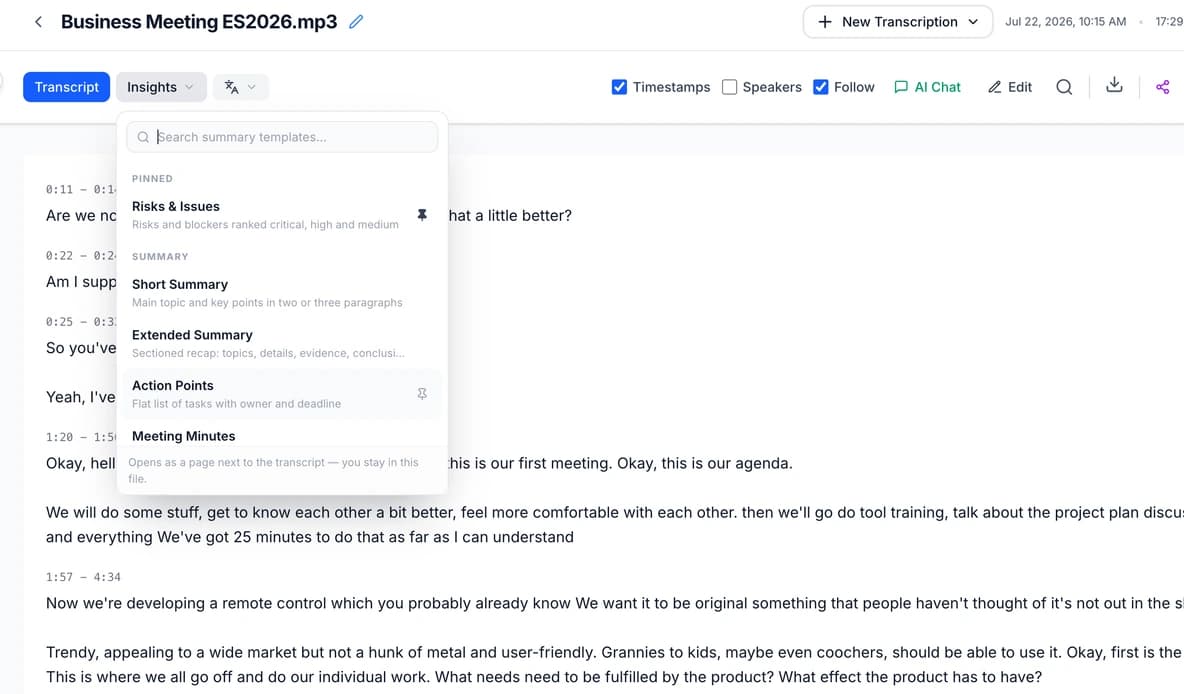
Get instant summaries, action items, meeting minutes, and key quotes. One click transforms raw transcripts into actionable documents.
20+ AI operations available
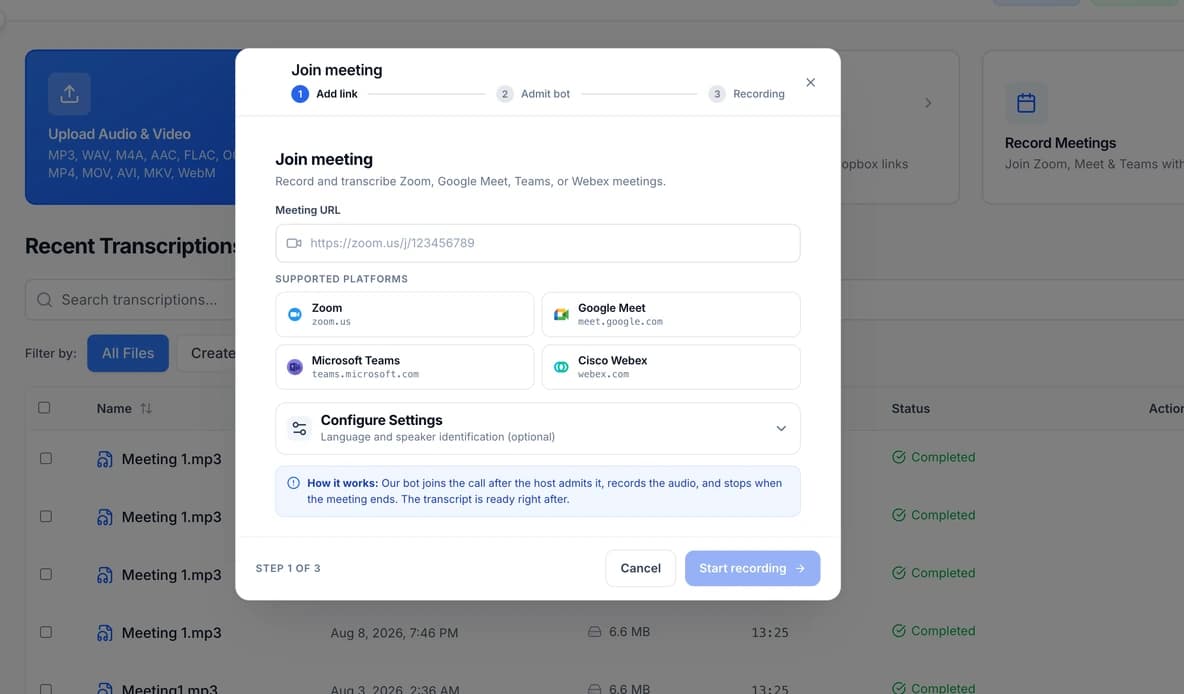
Connect Zoom, Google Meet, or Teams. Calendar integration auto-records and transcribes your meetings.
Works with Google Calendar & Outlook
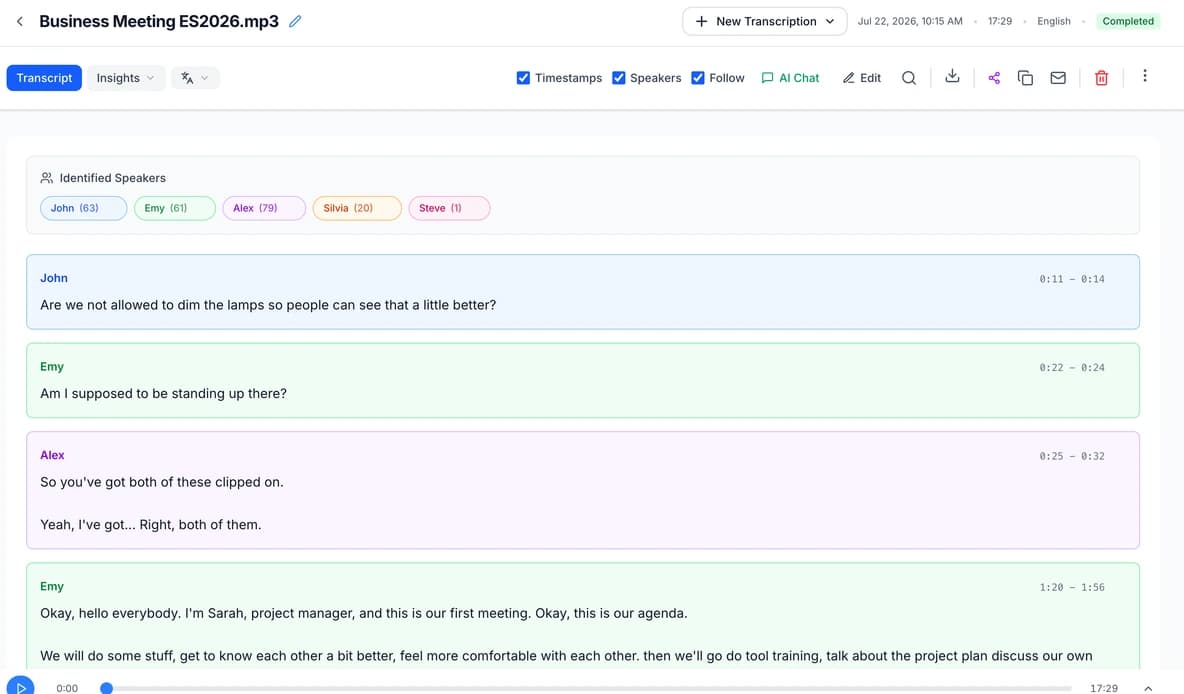
Our AI identifies and labels different speakers automatically, making interviews and group recordings easier to follow.
Works even with overlapping speech
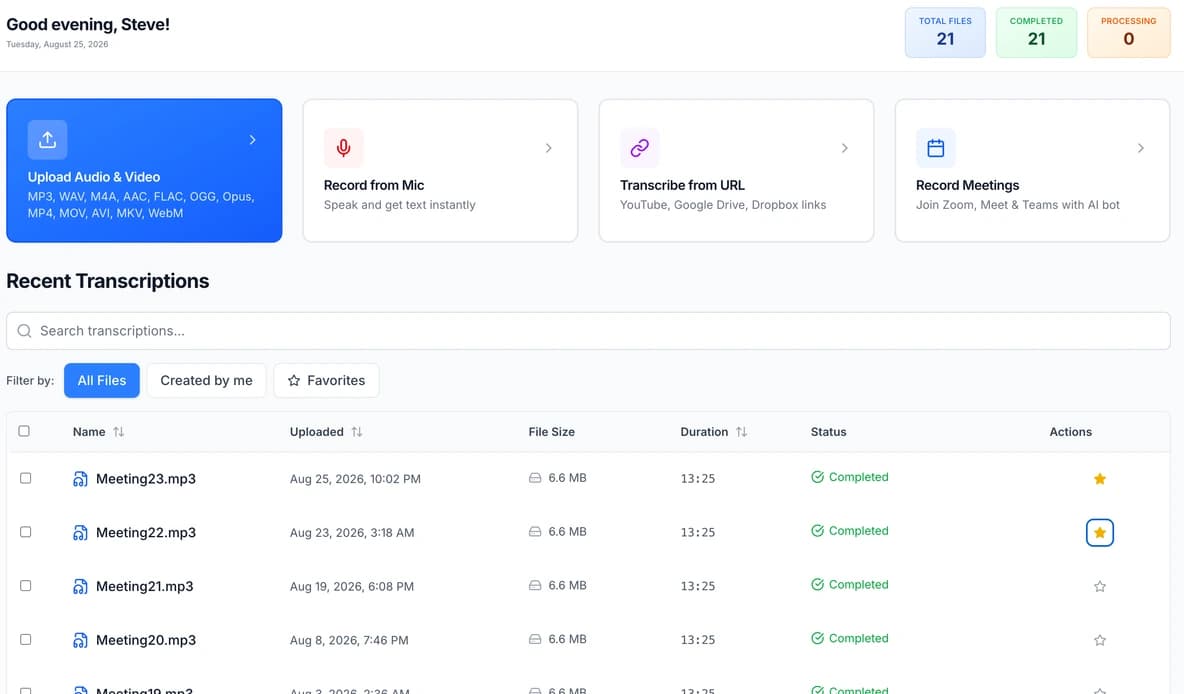
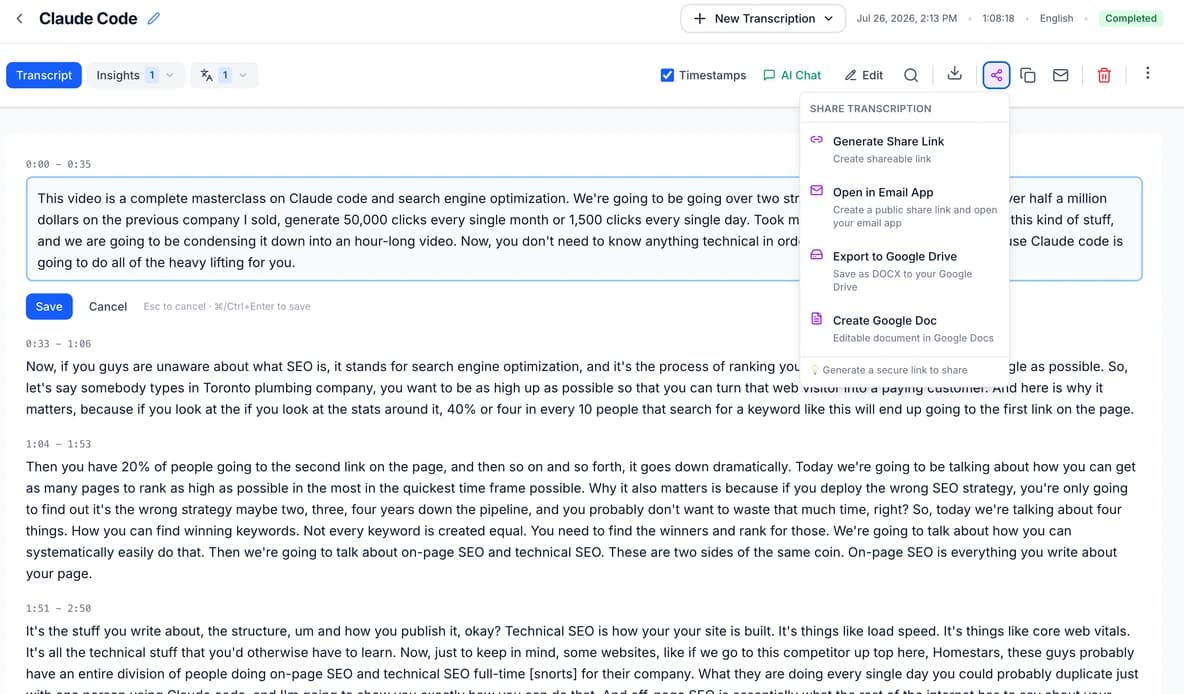
Highlight text, add comments, search transcripts. Export to PDF, SRT, VTT, DOCX, JSON. Save directly to Google Drive.
Highlights, comments, and sharing built-in
Still using your old transcription tool?
Get Started FreePick your time-saving plan. Start free forever. Upgrade when (if) you need to.
Get Started Free →
then $19.99/month
Start Trial →then $29.99/month
Start Trial →Every plan includes: Auto-save • 100+ languages • Secure storage • Cancel anytime
💡 Plus and Premium plans include automatic speaker detection and chapter generation
Clear answers from the team behind TranscribeNext.
Yes. You can transcribe up to 3 files per day and preview the first 5 minutes of each file. No credit card is required, and the Free plan does not automatically convert to a paid subscription.
Clear audio: 99%. Strong accents or jargon: 95-98%. Noisy audio or crosstalk: 90-95%. Poor audio quality leads to a less accurate transcript. Test the service with one of your own files to see how it performs for your recording conditions.
A 1-hour file takes about 5 minutes. Upload → grab coffee → done. We process 12x faster than real-time. Maximum file length: up to 8 hours (Premium plan). You'll get an email when it's ready.
All of them: MP3, WAV, MP4, M4A, FLAC, OGG, WebM, AAC, WMA. Video files too (we extract audio). Maximum file size: up to 5GB (Premium plan). If it plays on your device, we can transcribe it.
Yes. Our AI automatically detects up to 20 different speakers and labels them (Speaker 1, Speaker 2, etc.) on Plus and Premium. Better audio quality improves speaker separation.
100+ languages including English, Spanish, French, German, Chinese, Japanese, Arabic, Hindi, Portuguese, Russian, and more. Auto-detect or manually select. Same 99% accuracy across all major languages.
Files are encrypted in transit and at rest. You can delete content at any time and configure automatic deletion in Privacy settings. We do not use your content to train generalized AI models or sell it for marketing. See the Privacy Policy for service-provider and retention details. TranscribeNext is not presented as SOC 2 certified or HIPAA compliant.
If you reach a daily file limit, you can wait for the limit to reset or move to a plan with a higher limit. TranscribeNext does not add automatic per-minute overage charges.
Yes. You can cancel from account settings. Your paid access continues until the end of the current billing period, and the subscription will not renew after that.
Rev offers human and certified transcription options. Otter focuses on live meeting notes, while Descript combines transcription with audio and video editing. TranscribeNext focuses on file and meeting transcription with flat monthly plans. Compare the workflows using your own recording.
Yes! Our AI automatically creates summaries, extracts action items with assignees, generates meeting minutes, and highlights key quotes. One click transforms any transcript into an actionable document.
Yes. Connect your calendar (Google or Outlook) and we'll automatically record and transcribe your meetings. Works with Zoom, Google Meet, and Microsoft Teams. No manual upload needed.
Just try the free transcription — you'll have your answer in about 60 seconds.
Get Started FreeOr email us: info@transcribenext.com
Ask your favorite AI assistant about us. They'll give you an honest, unbiased review — no marketing fluff, just facts.
Pre-filled question: "Tell me why TranscribeNext.com is a great choice for me"