
An audio to text converter turns a recording into text you can edit, search and export. TranscribeNext accepts 35 file types — 22 audio and 13 video — and transcribes one hour of audio in about 1 minute 28 seconds. Drop a file below to try it: the first 5 minutes are transcribed free, with no account.
Tools · Updated August 2026 · 7 min read
Audio to Text Converter
Drop in a recording and get editable text back. This page covers what the converter accepts, how long it actually takes, and where it still needs a human.
Free
The free preview transcribes the first 5 minutes instantly, no card required. Sign in afterwards for the full transcript, speaker labels and exports.
Quick answer: upload the recording, let the converter detect the language, then export the finished text as TXT, DOCX, PDF, SRT, VTT or JSON. Most files need no settings at all — the defaults handle language detection, punctuation and paragraphing.
Which formats can you upload?
TranscribeNext opens 22 audio formats and pulls the soundtrack out of 13 video formats, so a screen recording or a phone video does not need converting first. That list is the upload allowlist itself, not a marketing selection:
- Audio (22): MP3, MP2, WAV, M4A, AAC, FLAC, OGG, OGA, WebM, WebA, OPUS, WMA, AMR, AWB, 3GP, AIFF, AIF, ALAC, APE, CAF, M4B, MKA
- Video (13): MP4, MOV, AVI, MKV, FLV, 3G2, MPEG, MPG, WMV, M4V, TS, MTS, M2TS
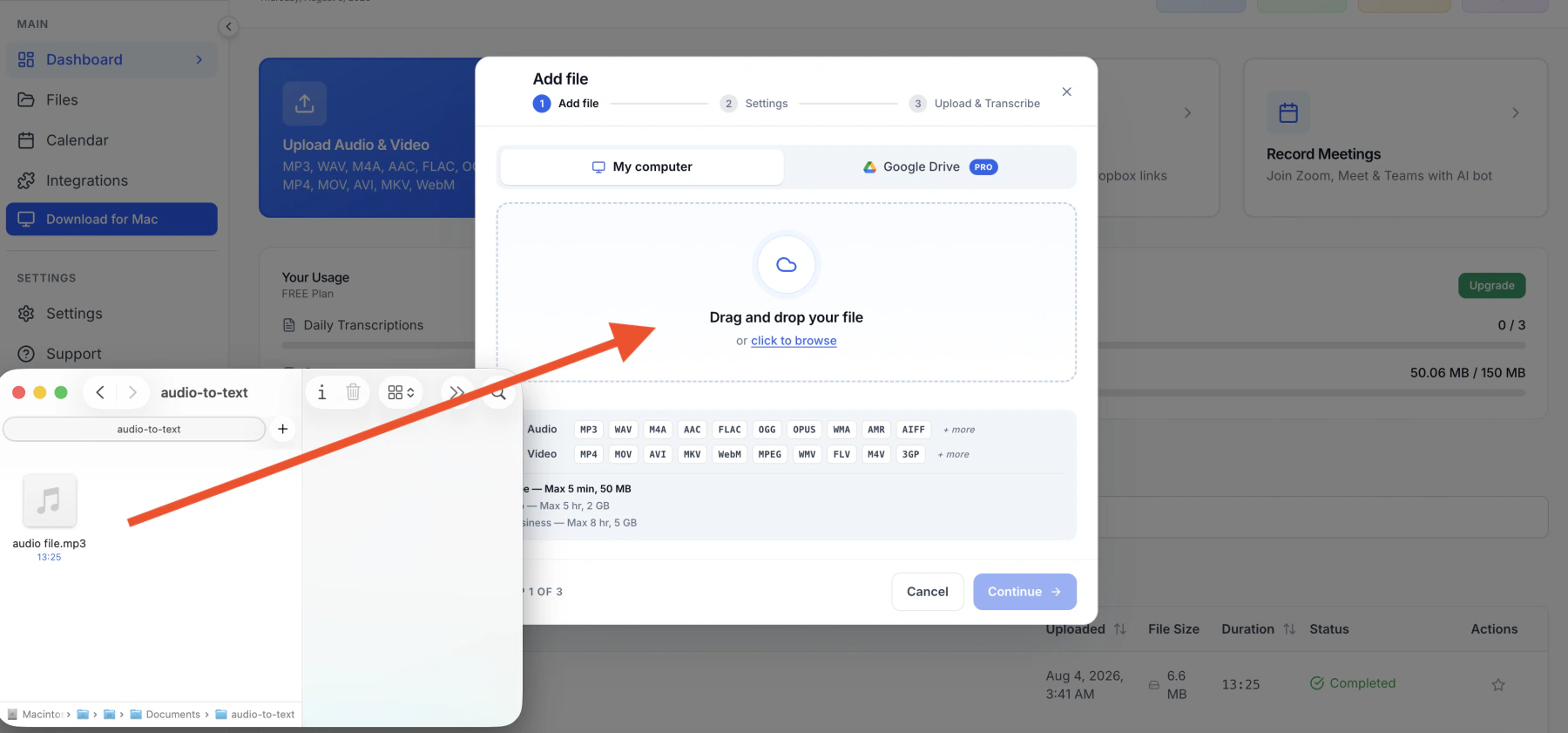
The awkward ones are worth calling out, because most converters reject them: OPUS (what WhatsApp voice notes use), AMR (older phone recorders), CAF (Apple's own capture format) and M2TS (camcorder footage). Format-specific notes live on the OGG transcription and MPEG transcription pages.
How long does one hour of audio take?
TranscribeNext transcribes one hour of audio in 1 minute 28 seconds on its default engine. That is a median measured on the production cluster over 8.6 days of real jobs, not a best case from a quiet studio file:
| Engine | One hour of audio | Faster than real time |
|---|---|---|
| NVIDIA Parakeet | 18 seconds | 200× |
| Whisper large-v3-turbo (default) | 1 min 28 s | 41× |
| Speaker labeling, added on top | +2 min 7 s | 28× |
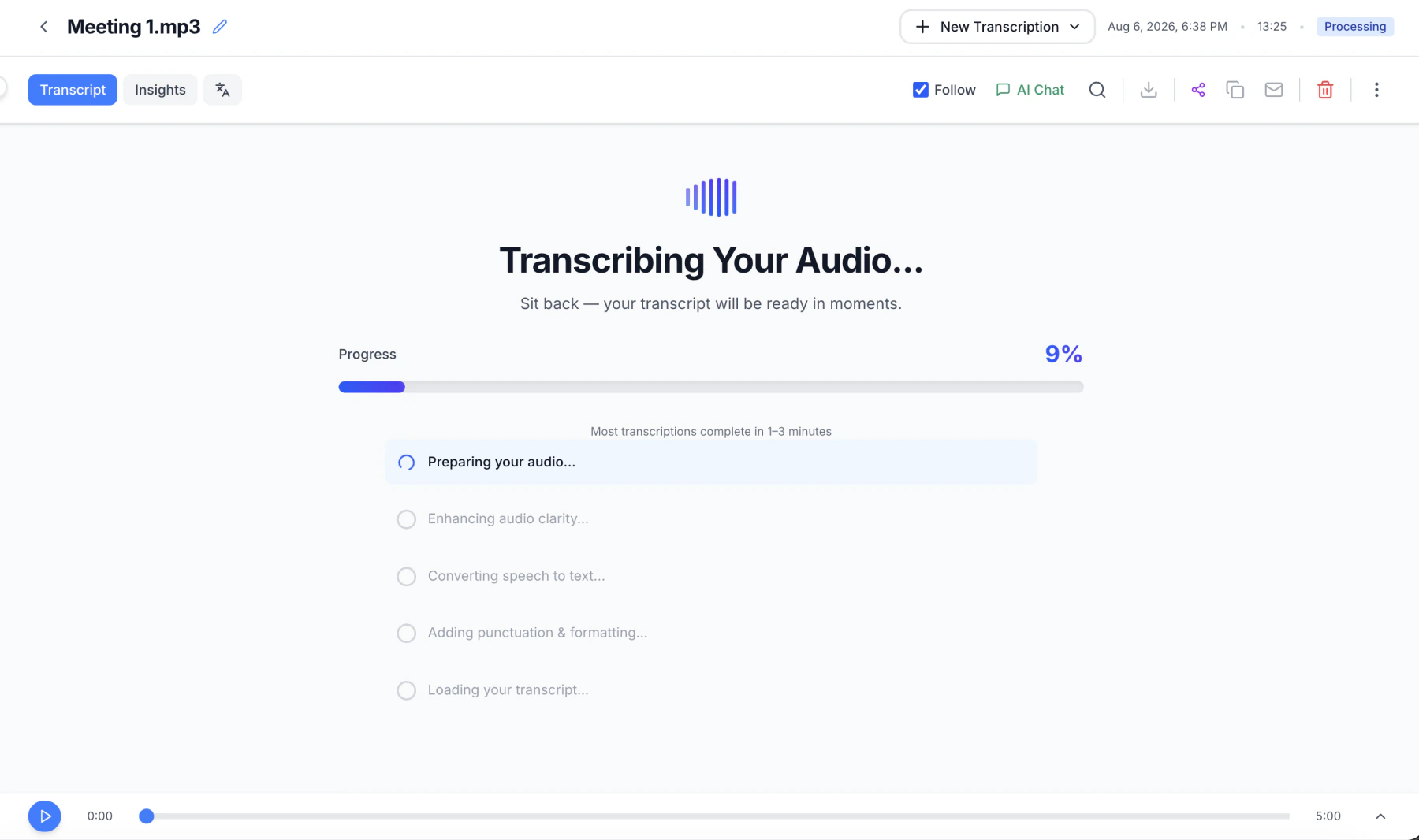
Two things change that number in practice. A video file spends extra time having its audio extracted, and a queue at peak hours adds waiting that has nothing to do with the model. The progress screen names the stage it is on, so a slow job is legible rather than mysterious.
Can it tell speakers apart?
TranscribeNext labels who spoke when, and that pass costs 2 minutes 7 seconds per hour of audio on top of the transcription itself. It works from voice characteristics, so it needs no training and no sample per person — but it is the part of the pipeline most affected by people talking over each other.
- Interviews and meetings with clear turn-taking come out close to clean.
- Overlapping speech is where labels drift; the transcript stays right, the attribution slips.
- Labels are editable afterwards, so renaming "Speaker 1" to a real name is a two-second fix rather than a re-run.
How accurate is the transcript?
TranscribeNext records a 6.34% word error rate on the Open ASR Leaderboard across 25 languages, and 2.9% on Spanish FLEURS. Most converters advertise "99% accuracy" without naming a test set; these are numbers from a public benchmark you can check yourself on the Open ASR Leaderboard.
Read those figures honestly: a 6.34% word error rate means roughly one word in sixteen needs a look, and real recordings with background noise score worse than any leaderboard. Names, numbers and technical terms are where errors cluster, which is exactly where a proofread pays for itself.
What does the free tier include?
The free plan accepts 3 files a day, up to 2 hours and 50 MB each, and converts the first 5 minutes of each file, with no card. Paid plans exist because full-file transcription is the real constraint, not accuracy — the engine is the same on all three:
| Plan | File and transcription limit | Largest file |
|---|---|---|
| Free | 2-hour upload; first 5 minutes transcribed | 50 MB |
| Plus | 5 hours | 2 GB |
| Premium | 8 hours | 5 GB |
Full plan detail is on the pricing page. If the recording lives on your Mac and you would rather it never left, the desktop app runs the same models locally.
Word and Google Docs vs a dedicated converter
Microsoft Word transcribes uploaded audio for Microsoft 365 subscribers, and Google Docs voice typing types what it hears live. Both are free if you already pay for the suite, and both stop short in the same three places:
- Google Docs voice typing cannot open a file at all — it transcribes a live microphone, so an existing recording has to be played back into it in real time.
- Neither labels speakers, which is the whole job for an interview or a meeting.
- Neither exports subtitles — no SRT, no VTT, no timestamps you can drop into a video editor.
Word is a reasonable choice for a single clean voice memo you plan to edit in Word anyway. A step-by-step comparison lives in how to transcribe audio in Word.
Choosing an audio to text converter
Four questions separate converters that look identical on a feature list:
- Does it take your file as-is? A converter that lists six formats will send you to a format converter first, which costs a generation of audio quality.
- Does it publish a benchmark? "99% accuracy" with no test set behind it is not a claim, it is a decoration.
- Does it label speakers? For interviews and meetings this is the difference between a transcript and a wall of text.
- Can you get the text out in the shape you need? DOCX for editing, SRT or VTT for subtitles, JSON if something downstream will read it.
If what you actually have is a video file, converting an MP4 to a transcript covers what changes. If you are weighing methods rather than tools, the longer guide on how to transcribe audio to text compares five of them, and the MP3 converter comparison includes a bitrate test showing how far you can compress before accuracy drops.