
You can convert an M4A file to text with an AI transcription tool — in a browser, in Microsoft Word, on your phone, or fully offline on a Mac. No conversion to MP3 is needed: M4A is the format iPhone Voice Memos and QuickTime recordings already use, so every modern engine reads it directly. Upload the file, pick a language, and export the transcript as TXT, DOCX, PDF, SRT, VTT or Markdown.
This guide walks through all four methods with the published limits of every tool side by side, plus a conversion we timed on our own production servers so the speed figure is measured rather than marketed. If your files are not M4A, the audio to text converter covers all 35 formats it accepts and how long each hour takes.
M4A at a glance
| Do I need to convert M4A to MP3? | No — M4A uploads directly |
| Common sources | iPhone Voice Memos, QuickTime, Android recorders, voice recorders |
| Possible codecs inside | AAC, ALAC and other audio the MPEG-4 container supports |
| Speaker labels | Up to 10 labeled speakers (TranscribeNext diarization) |
| Timestamps | Per-segment timestamps; SRT/VTT subtitle exports |
| Free use | 5-minute preview with no account; free account: 3 files/day, 50 MB each |
| Exports | TXT, DOCX, PDF, SRT, VTT, Markdown |
| Works on | Any browser (Windows, Mac, iPhone, Android), or on-device on Apple Silicon Macs |
- Which method should you use?
- Method 1: convert M4A to text online free
- Method 2: transcribe an M4A in Microsoft Word
- Method 3: convert an M4A on iPhone or Android
- Method 4: convert M4A offline on a Mac
- Which free converter has the best limits?
- Do you get timestamps and speaker labels?
- Is M4A the same as AAC?
- How big can your M4A file be?
- How long does a 1-hour file take?
- When M4A transcription may be inaccurate
- Test methodology and results
- FAQ
- Sources
Which method should you use?
All four routes produce editable text from the same M4A file. The right one depends on what you already have installed and how private the recording is:
| Method | Best when | Needs | Timestamps / speakers |
|---|---|---|---|
| 1. Online AI converter | You want text now, on any device | A browser | Yes, with a tool that offers diarization |
| 2. Microsoft Word | You already pay for Microsoft 365 | Microsoft 365 subscription, internet | Yes — both |
| 3. Phone app | The file is on your iPhone or Android | The phone itself | Depends on the app |
| 4. Offline Mac app | The recording is confidential | Apple Silicon Mac | Yes — both, processed locally |
Method 1: How do I convert M4A to text online for free?
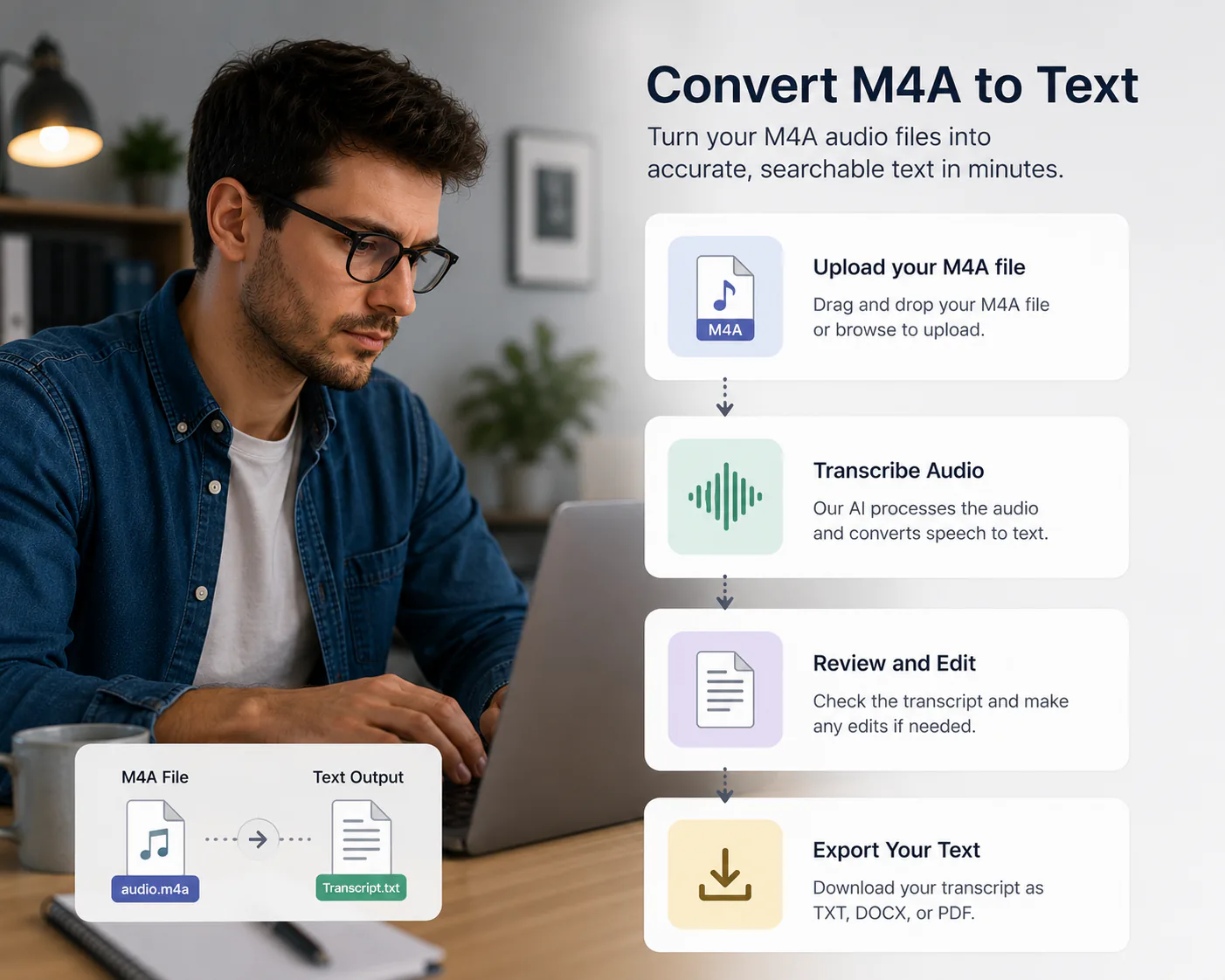
The fastest route with nothing to install is a browser-based AI transcriber. The flow is the same everywhere and takes three steps:
1. Upload the M4A. Drag and drop it into the uploader on this page, or open the full uploader in any browser — Windows, Mac, iPhone or Android. Upload only unprotected files you own or are permitted to process.
2. Pick the language and options. Leave language on auto-detect or set it manually — a fixed language helps with heavy accents or background noise. Turn on speaker labels if two or more people talk.
3. Review and export. Read and edit the transcript in the browser, then download TXT, DOCX, PDF, SRT, VTT or Markdown.
The first 5 minutes of any file are transcribed free with no account; a free account raises that to 3 files a day. Other browser converters worth knowing are HappyScribe, VEED.IO, NoteGPT and AudioScribe — their published limits are compared below.
Method 2: How do I transcribe an M4A file in Microsoft Word?
If you already have a Microsoft 365 subscription, Word can transcribe an uploaded M4A and hand back a timestamped transcript split by speaker — no extra tool required:
1. Open Microsoft Word on your computer, or sign in to Word for the web.
2. Go to the Home tab.
3. Click the arrow next to the Dictate button (the microphone icon) and choose Transcribe.
4. Click Upload audio and select your M4A file.
5. Wait for Word to process the recording, then click Add to document to insert the timestamped text.
Three limits matter before you start. Word's transcription is cloud-based, so it needs an internet connection and the audio is uploaded to your Microsoft account. Microsoft's published caps are 200 MB per uploaded file and 300 minutes of uploaded audio per month. And it is a paid path — the feature requires Microsoft 365, unlike the free tiers of browser converters.
Word is the strongest option when you are already writing the document in Word and want the transcript inline. It is the weakest when the recording is confidential, because the audio leaves your machine either way.
Method 3: How do I convert an M4A to text on iPhone or Android?
An M4A on your phone needs no conversion step — only a way to get it to a transcription engine.
On iPhone. Voice Memos are saved as M4A. Open a browser-based converter in Safari or Chrome, tap the upload area and pick the memo from the Files app (share it to Files from Voice Memos first). On supported iPhones, the Voice Memos app itself also displays a transcript of a recording — availability depends on device, language and region, and it offers no speaker labels or document exports, so use it for quick reading rather than for an editable file.
On Android. Recordings from the Recorder app and most messaging apps arrive as M4A or the closely related AAC. Upload the file from the Files app to any browser-based transcription tool — the browser route is identical to desktop. Play Store apps that run a local speech model such as OpenAI Whisper are the alternative when you want the audio to stay on the handset.
Either way, watch the file size: uploading a long recording over mobile data is slow, and free tiers cap what you can send in one go.
Method 4: How do I convert M4A to text offline on a Mac?
Every method above uploads your audio somewhere. If the recording is confidential — a client call, a medical note, an internal meeting — a native Mac app keeps it on the machine.
TranscribeNext for Mac converts M4A files by drag-and-drop on-device with OpenAI Whisper or NVIDIA Parakeet, labels up to 10 speakers, and only uses the cloud if you choose to. The free plan covers 3 recordings a day. MacWhisper is a one-time-purchase alternative that also runs Whisper locally, files only. Apple's own Voice Memos and Notes can transcribe recordings on supported iPhone and Apple Silicon Mac devices; language and regional availability vary, and the built-in workflow offers no speaker labels or document exports.
The trade-off is storage and hardware: local models are large downloads (the Parakeet engine is 670 MB, Whisper large-v3 is 2.9 GB) and they want an Apple Silicon chip to run quickly. See our best Mac apps to transcribe audio guide for the full comparison.
Download TranscribeNext for Mac — freeWhich free M4A to text converter has the best limits?
"Free" means something different at every tool, and the difference is usually the length or size you can send before paying. These are each vendor's own published figures, checked in July 2026 — they change, so confirm on the vendor page before relying on them:
| Converter | Free tier (published) | Stated accuracy | Languages | Exports |
|---|---|---|---|---|
| TranscribeNext | 5-min preview, no account; 3 files/day at 50 MB with a free account | Not claimed as one figure — see failure cases | 99 (Whisper family) | TXT, DOCX, PDF, SRT, VTT, Markdown |
| HappyScribe | 10-minute free trial | 85–99% automated; 99% human | 150+ | TXT, DOCX, PDF, SRT, VTT |
| VEED.IO | Free trial, no card to start | 95% | 100+ (translation) | TXT, SRT, VTT |
| NoteGPT | Free tier; up to 5 GB per audio, 20 queued tasks | Not published | Not published | TXT, SRT |
| AudioScribe | Under 5 min with no signup; 25-min files and 100 MB on a free account | Not published | Not published | TXT, SRT, VTT, PDF, Word |
| Microsoft Word | None — needs Microsoft 365 | Not published | Varies by locale | Inserted into the document |
Two things in that table are worth reading carefully. Headline accuracy percentages are self-reported and measured on the vendor's own audio, so they are not comparable to each other — which is why we publish failure cases and a timed test instead of a single number. And a generous file-size allowance is not the same as a generous duration allowance: NoteGPT's 5 GB is large on size, while AudioScribe's free ceiling is a 25-minute recording.
Do you get timestamps and speaker labels?
These two features decide whether a transcript is usable for an interview or a meeting, and support is uneven:
If your M4A is a two-person interview, check for diarization *before* you upload — adding speaker names by hand to an hour of text costs more time than the transcription saved.
Is M4A the same as AAC? M4A vs MP3 vs WAV
M4A is a container, not a codec. Inside it you usually find AAC (lossy, small), but it can also hold ALAC (Apple Lossless, several times larger for the same length). That is why two M4A files of identical duration can differ hugely in size — and why the size table below matters more than the file extension.
| Format | What it is | Typical use | Transcription note |
|---|---|---|---|
| M4A | MPEG-4 audio container (AAC or ALAC inside) | Voice Memos, QuickTime | Uploads directly; no MP3 step |
| AAC | Lossy codec, usually inside M4A/MP4 | Phone and app recordings | Same audio family as M4A |
| MP3 | Older lossy format | Podcasts, downloads | Supported; converting M4A→MP3 first only adds loss |
| WAV | Uncompressed audio | Studio, field recorders | Supported; large files, same words recognized |
How big can your M4A file be?
Approximate sizes for one hour of audio, based on the codecs' nominal bitrates:
| M4A source | Typical encoding | Approx. size per hour |
|---|---|---|
| iPhone Voice Memo (standard) | AAC mono ~64 kbps | ~28 MB |
| QuickTime audio recording | AAC ~128 kbps | ~56 MB |
| Lossless recording | ALAC | hundreds of MB |
TranscribeNext per-file limits, taken from the plan configuration (see pricing for current rates):
A standard one-hour Voice Memo at roughly 28 MB fits the free 50 MB ceiling with room to spare; an hour of lossless ALAC does not.
How long does it take to convert a 1-hour M4A file?
Minutes, not hours — but published figures in this category are almost always estimates, so here is one we measured.
In a run recorded in our production logs on 24 July 2026, a 58-minute recording produced a 47,059-character transcript in 2 minutes 22 seconds on OpenAI Whisper large-v3-turbo. Full conditions are in the methodology box below. That is one file on one day, not a guaranteed rate: queue load, recording length and audio quality all move it.
For scale, the manual alternative runs 4 to 6 hours of typing for the same hour of audio — the comparison that actually matters when you are deciding whether to transcribe by hand.
When M4A transcription may be inaccurate
Every vendor quotes an accuracy percentage; almost none quote the conditions. Quality degrades predictably, so expect errors — or a failed job — when the recording has:
If a recording matches several of these, fix the recording first: re-recording with a closer microphone improves the transcript more than switching tools.
Test methodology and results
How we tested
Test date: 24 July 2026
Test file: 58-minute meeting recording (3,486 seconds), MPEG-4 container with AAC audio. M4A is the audio-only variant of the same MPEG-4 container and is decoded by the same pipeline; our test file also carried a video track.
File size: 287 MB (including the video track — an audio-only M4A of the same length would be far smaller). How much smaller is measured in MP4 to transcript: across 28,409 uploads the median MP4 carries roughly nine times the bytes of the M4A audio inside it.
Language: English
Speaker labels: Off
Measured time: from completed upload to finished transcript
Engine: TranscribeNext cloud pipeline (OpenAI Whisper large-v3-turbo)
Result: 2 minutes 22 seconds; 47,059 characters of transcript
This is one test file and not a guaranteed processing time.
Last tested: 24 July 2026
FAQ
How do I convert an M4A file to text? Upload the M4A to an AI transcription tool and download the transcript — there are four practical routes. A browser-based converter needs no installation and works on any device. Microsoft Word can transcribe an uploaded M4A if you have a Microsoft 365 subscription. Phone apps handle files already on an iPhone or Android device. A Mac app such as TranscribeNext for Mac converts the file entirely on-device when the recording is confidential.
Do I need to convert M4A to MP3 first? No. M4A files upload and transcribe directly. Re-encoding to MP3 adds a second generation of lossy compression and an extra step without improving recognition, because the engine decodes the M4A container natively.
Can Microsoft Word transcribe an M4A file? Yes, with a Microsoft 365 subscription. In Word, open the Home tab, click the arrow next to Dictate and choose Transcribe, then upload your M4A. Word returns a timestamped transcript split by speaker that you can insert into the document. Microsoft's published limits are 200 MB per uploaded file and 300 minutes of uploaded audio per month, and the feature is cloud-based, so it needs an internet connection.
How do I convert an M4A to text on my phone? On iPhone, Voice Memos are already M4A: share the memo to a browser-based converter, or read the transcript the Voice Memos app generates on supported devices. On Android, upload the M4A from your Files app to any browser-based transcription tool, or use a Play Store app that runs a speech model such as Whisper. No format conversion is needed on either platform.
Is M4A the same as AAC? Not exactly. M4A is an MPEG-4 audio container — the file wrapper. AAC is the lossy codec most often stored inside it. An M4A can also hold ALAC (Apple Lossless) or other audio supported by the container. That is why two M4A files of the same length can differ in size many times over.
Does M4A transcription include timestamps and speaker labels? It depends on the tool. TranscribeNext returns per-segment timestamps on every transcript and exports them as subtitle cues in SRT and VTT, and its speaker diarization labels speakers with a color per segment that you can rename. Microsoft Word's Transcribe also produces timestamps and speaker separation. Basic online converters often return one unlabeled block of text, so check before uploading a multi-person interview.
How long does it take to convert a 1-hour M4A file? Cloud transcription is typically a few minutes rather than a few hours. In one measured run from our production logs on 24 July 2026, a 58-minute recording produced a 47,059-character transcript in 2 minutes 22 seconds using OpenAI Whisper large-v3-turbo. This is a single test file, not a guaranteed processing time — queue load, file length and audio quality all move the number.
How big can my M4A file be? Limits vary widely by tool, so check before uploading a long recording. TranscribeNext accepts files up to 50 MB and 2 hours on Free (with a 5-minute transcription preview), 2 GB and 5 hours on Plus, and 5 GB and 8 hours on Premium. As a size reference, one hour of standard iPhone Voice Memo audio is roughly 28 MB, while an hour of lossless ALAC runs to hundreds of megabytes.
Why did my M4A file fail to upload? The most common causes are: the file exceeds your plan's size limit, the recording is longer than the duration cap, the file is DRM-protected, the container holds an unsupported codec, or the file is damaged and cannot be decoded.
Can protected Apple Music files be transcribed? No. DRM-protected files are not supported by any transcription tool. Upload only unprotected M4A files that you own or are permitted to process, such as your own Voice Memos, QuickTime recordings, meetings or interviews.
Sources
Related guides: Best Mac apps to transcribe audio · Best dictation software for Mac · How to transcribe audio files quickly · Transcription tips for interviews
Convert your M4A now
Upload an M4A in the form at the top of this page — the first 5 minutes are free, no account needed — or install TranscribeNext for Mac to convert recordings on-device with speaker labels and 6 export formats.
Related: M4A transcription covers the format's technical limits, and if your recorder saved something else, supported audio and video formats lists the rest.